
Real-time stock at every store
Live per-store stock on the product page and in the cart. Set it in BopiSafe and it writes Shopify's own inventory — no double entry.
live per storeReal per-store stock, an in-cart store picker, and the chosen store locked into native checkout — including the cart that can't check out today.
A shopper can't tell which of your stores has the item. Shopify lists locations alphabetically, not by who can fulfill — so they book the one that can't, and you find out when they're standing at the counter.
Or a pickup-only item sits beside a ship-only one, and no delivery method covers both. Checkout stalls. Either way the sale is gone, and nothing in your reports says why.
Some items in your cart can only be picked up. Please remove them to continue.
Every shopper lands at a store that can actually fulfill, and every cart checks out — even the one where nothing covers both items.
Live per-store stock on the product page and in the cart. Set it in BopiSafe and it writes Shopify's own inventory — no double entry.
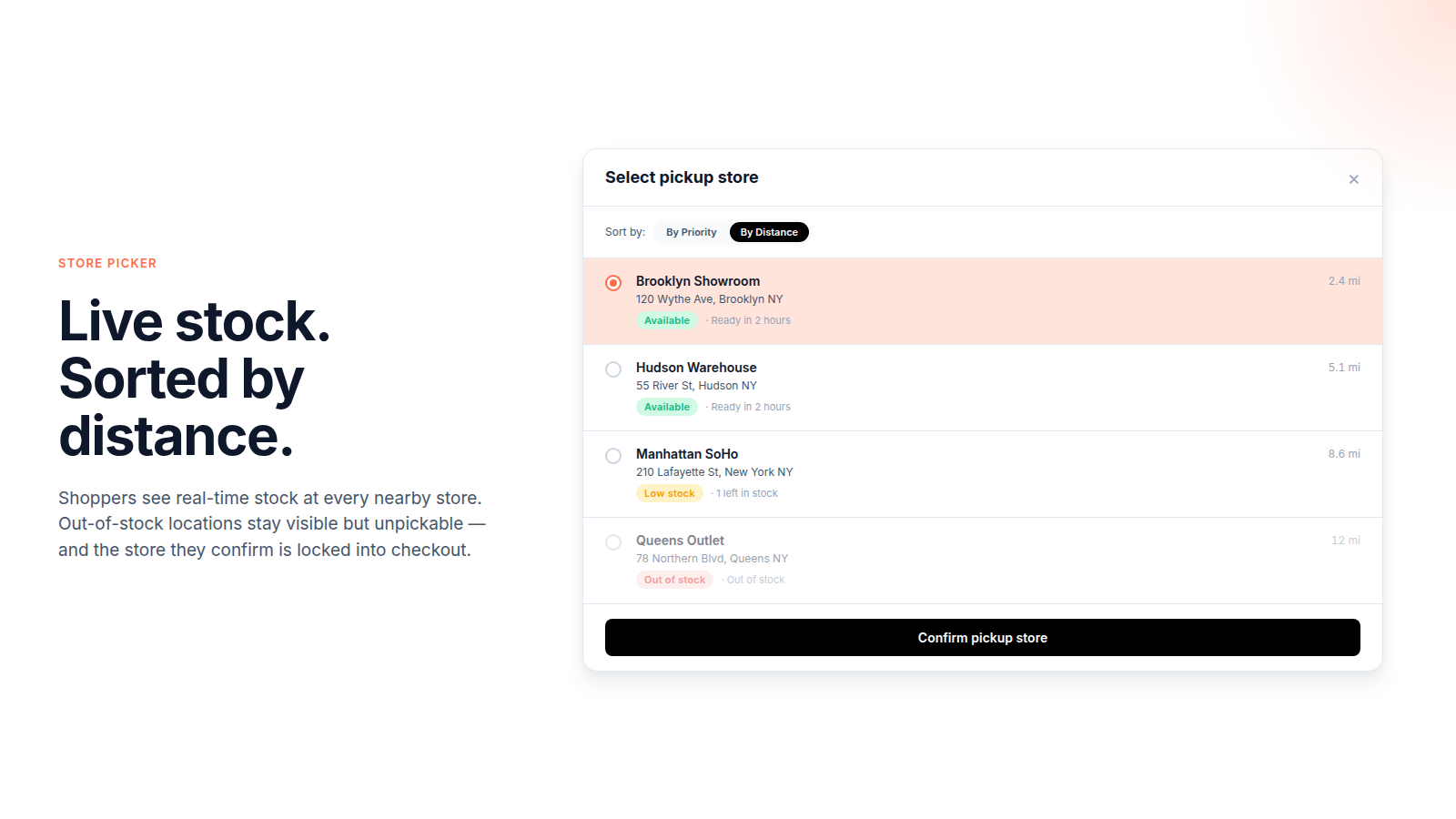
live per storeSorted by distance or priority. Out-of-stock and full stores stay visible but unselectable — no pickup a shopper can't complete.
distance + stock sortMark any product or collection pickup-only or local-only. Shopify Functions hold the cart to it at checkout — a label alone doesn't stop the warehouse from shipping it.
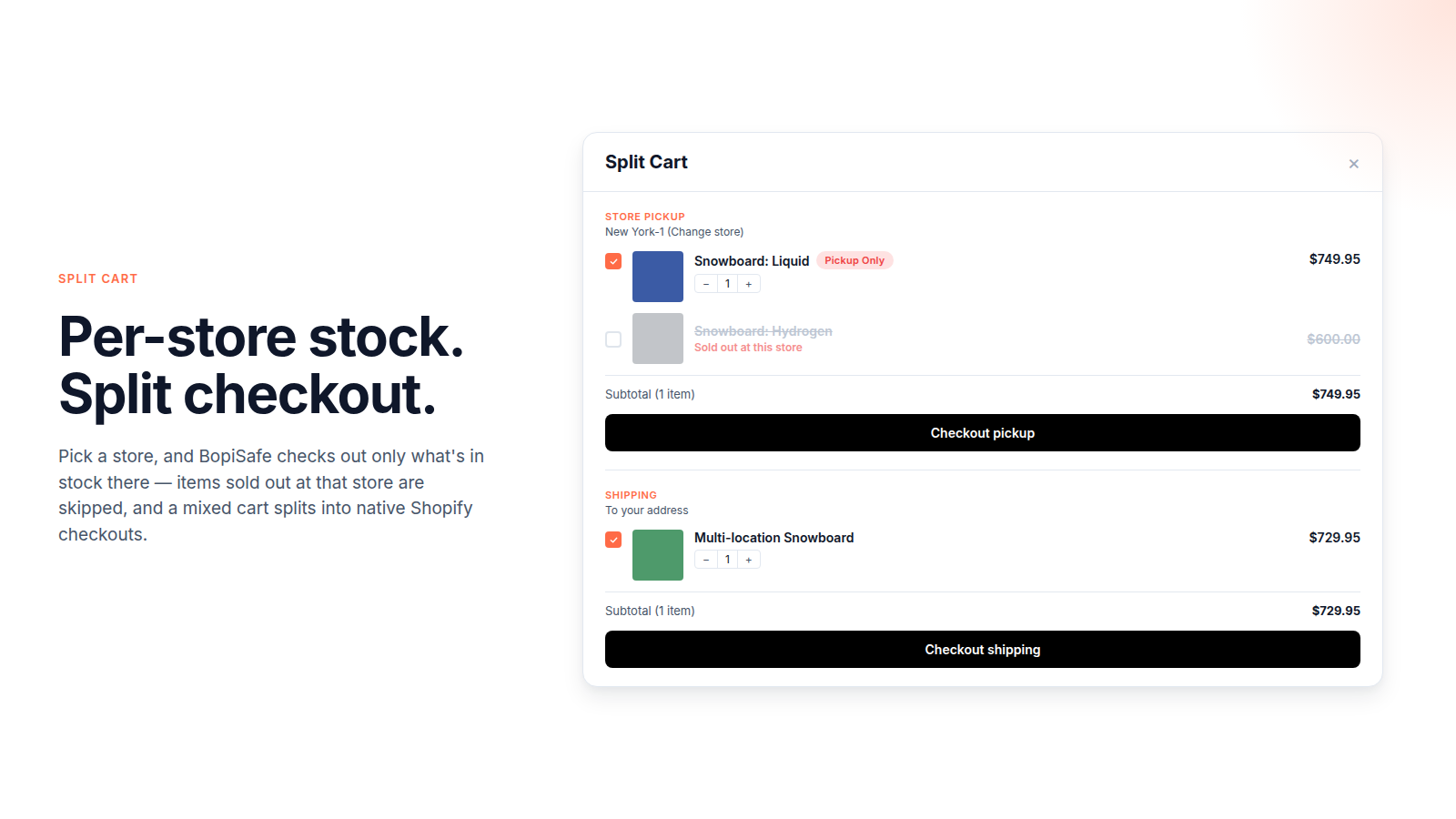
enforced, not just shownOne item can only be collected. The other can only be shipped. A Shopify order carries one method, so nothing covers the cart. Shopify's Plus preview lets buyers choose between methods an item already supports — it can't bridge two items with nothing in common. BopiSafe places each as its own real native order, on every plan.
on every planYour stock sits in more than one place: the warehouse it ships from, the stores it's collected from. One question sorts the rest:
Hazardous, assembled in store, store-exclusive, live, bulky, age-restricted, made-to-order, or fresh. You lock those items to pickup-only or local-only, enforced at checkout — and a cart mixing one with a shippable item still checks out, as two real native orders — instead of the shopper deleting an item or placing the two orders by hand. The store picker, the pickup time and the store-lock all still apply.
You just want collection to work properly. Native pickup can't tell a shopper which store really has it — "Pickup available" also counts stock that would have to be transferred in first — and there's no way to book a time. BopiSafe puts the store picker and pickup time in the cart, greys out the stores that don't have it and the slots that are full, and locks that store into checkout. The only choice a shopper can make is one you can keep.
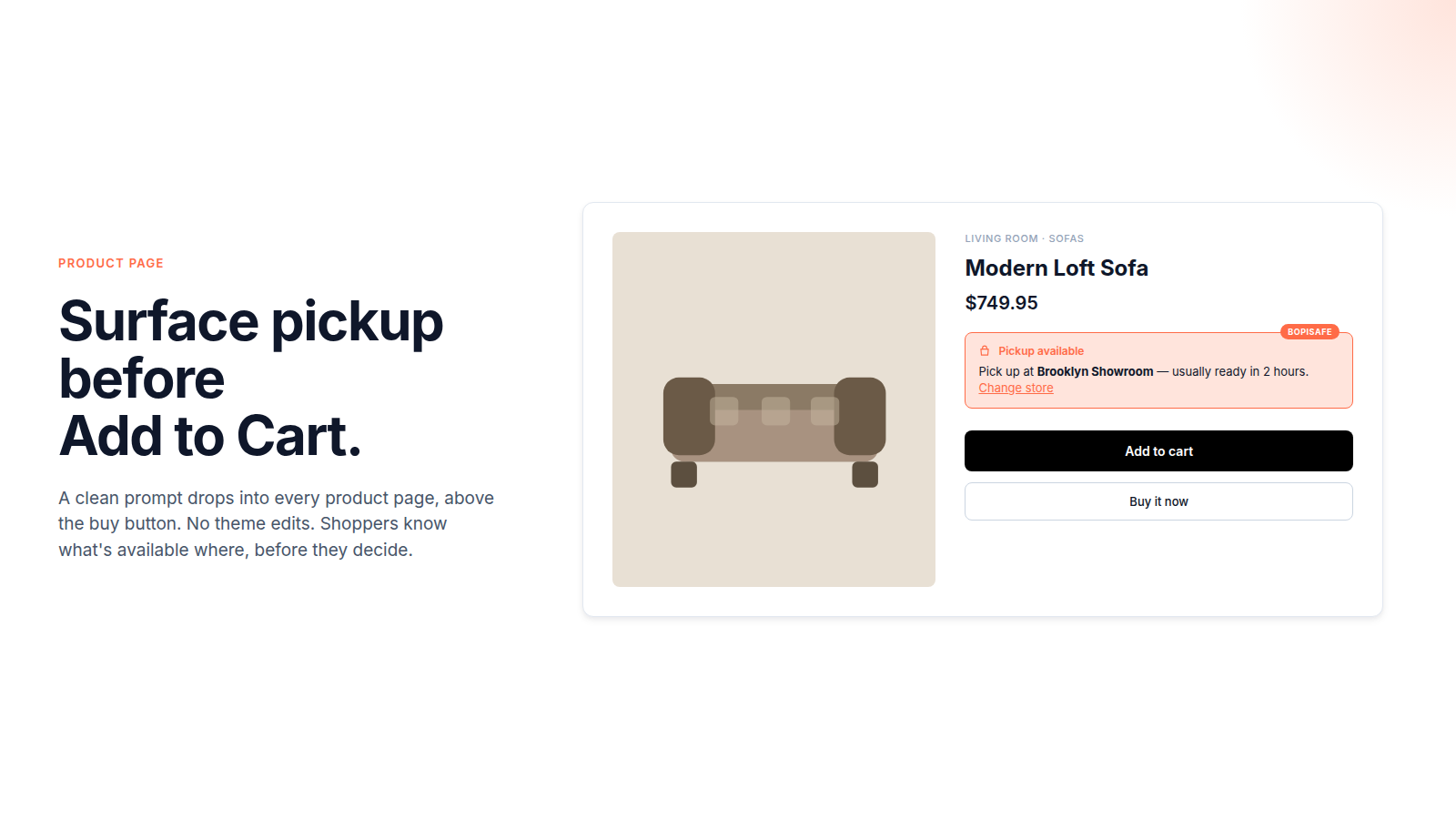
Live pickup availability per store, right above Add to Cart — no more picking a store that can't fulfill.
Choose a store, sorted by distance. Out-of-stock and over-capacity stores stay visible but can't be picked, and the chosen store is locked into checkout.
A mixed cart splits into separate native Shopify checkouts — each group becomes a real Shopify order. Everything-ships carts skip this and stay one clean order.
Shopify lets the shopper choose between methods an item already offers. It never lets you mark a product pickup-only and hold the cart to it — and its own mixed-cart split is Plus-only, still in beta. Here's where each stops.
| When the cart… | Shopify native | Other pickup apps | BopiSafe Every plan |
|---|---|---|---|
| Every item can ship | ✓ | ✓ | ✓ + store choice |
| Shoppers need stock by store and a place to collect | — | ✓ | ✓ |
| A pickup-only item next to a ship-only item | — won't check out | — | ✓ two real native orders |
| You mark an item pickup-only or local-only | — buyer choice only | — display only | ✓ enforced at checkout |
Built on Shopify's own native pickup and checkout — Shop Pay, native orders, POS pickup, and "Ready for pickup" notifications all keep working.
Something not covered? We calibrate theme compatibility with you before you commit — real setup help.
Yes. BopiSafe adapts to your theme automatically — Shopify's native themes and customized ones alike, with no theme code edits. The Hub checks your theme the moment you install. If it can't confirm yours, send it to us from the Hub and we'll configure it for you — free, within 48 hours, and we tell you when it's ready. Real setup help on your store, not a docs link.
No. BopiSafe works on every Shopify plan from Basic up. Plus matters less here than it sounds. Shopify's own mixed-cart split is Plus-only and still in beta — and where it does exist, it lets buyers choose among methods an item already supports. A cart holding a pickup-only item next to a ship-only one shares no method at all, so no single method fits it on any plan. That is the cart BopiSafe places as two real native orders.
No. The split fires only on a cart that no single delivery method covers — a pickup-only item next to one that can only ship. If everything you sell can ship, BopiSafe still gives you real-time per-store stock, an in-cart store picker, and the chosen store locked into checkout, on every plan.
Yes. Each group flows through native Shopify checkout, so Shop Pay, Apple Pay, and every native payment method work. Discount codes without a minimum work normally; codes with a "minimum $X" check each group's subtotal after the split.
About 10 minutes for the 4-step Hub: connect locations, install theme extension, set pickup rules, go live. Optional capacity caps take another 2 minutes if you use them.
From $19.90/month, with a 14-day free trial on any plan. Billing runs through your Shopify account, no separate payment setup. See the Shopify App Store listing for plan details.
Run multi-location BOPIS that actually checks out.
14-day trial on any plan. About 10 minutes to set up.
Trusting a checkout app is a big ask — see who built it, why, and where the edges are.